
KET / PET independent teacher
Turn exam lists, handouts and mistakes from practice papers into material students can keep reviewing after class, then continue with the same cards for the next learner or term.
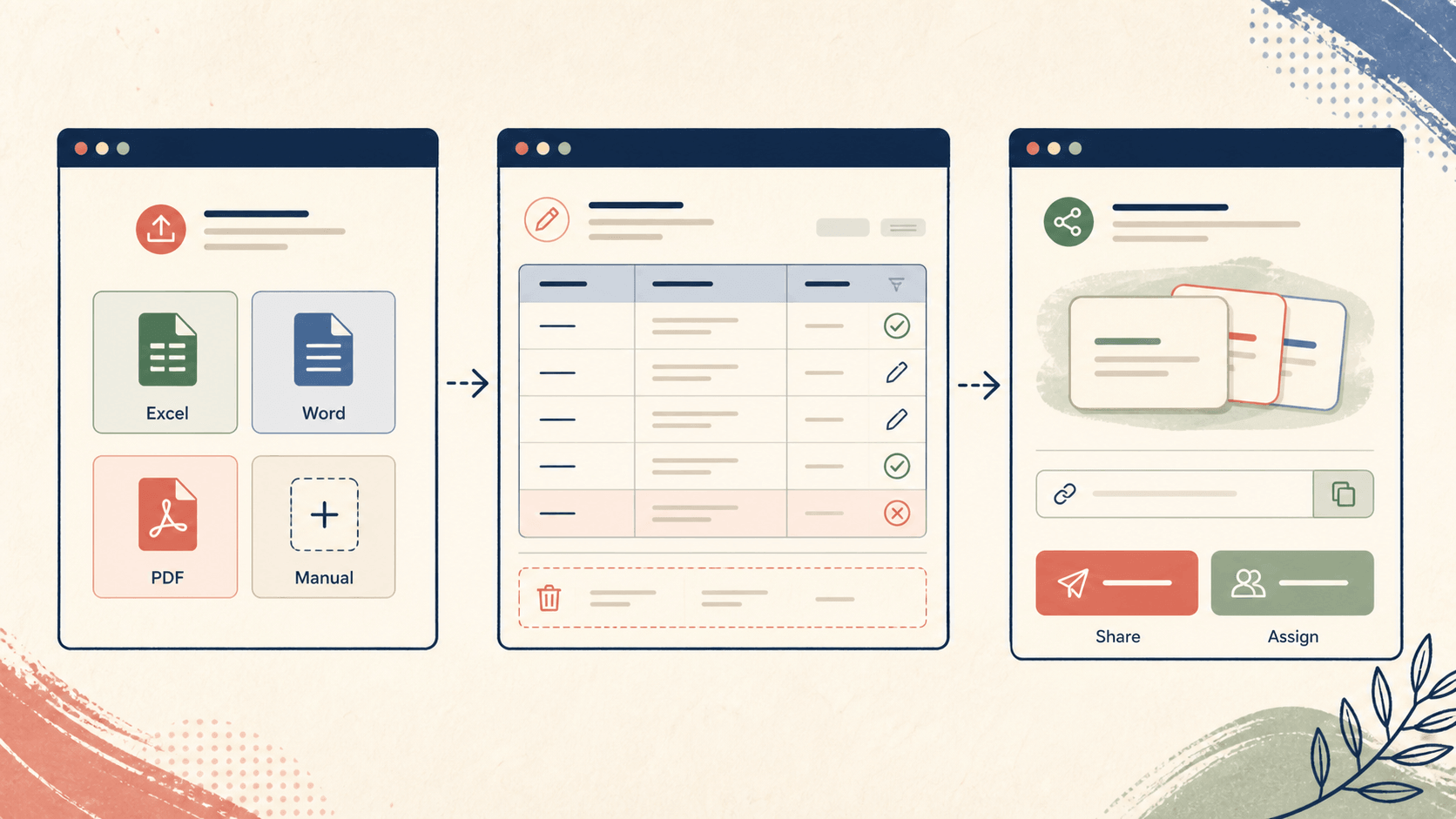
Import Excel, Word and PDF, or create cards manually.
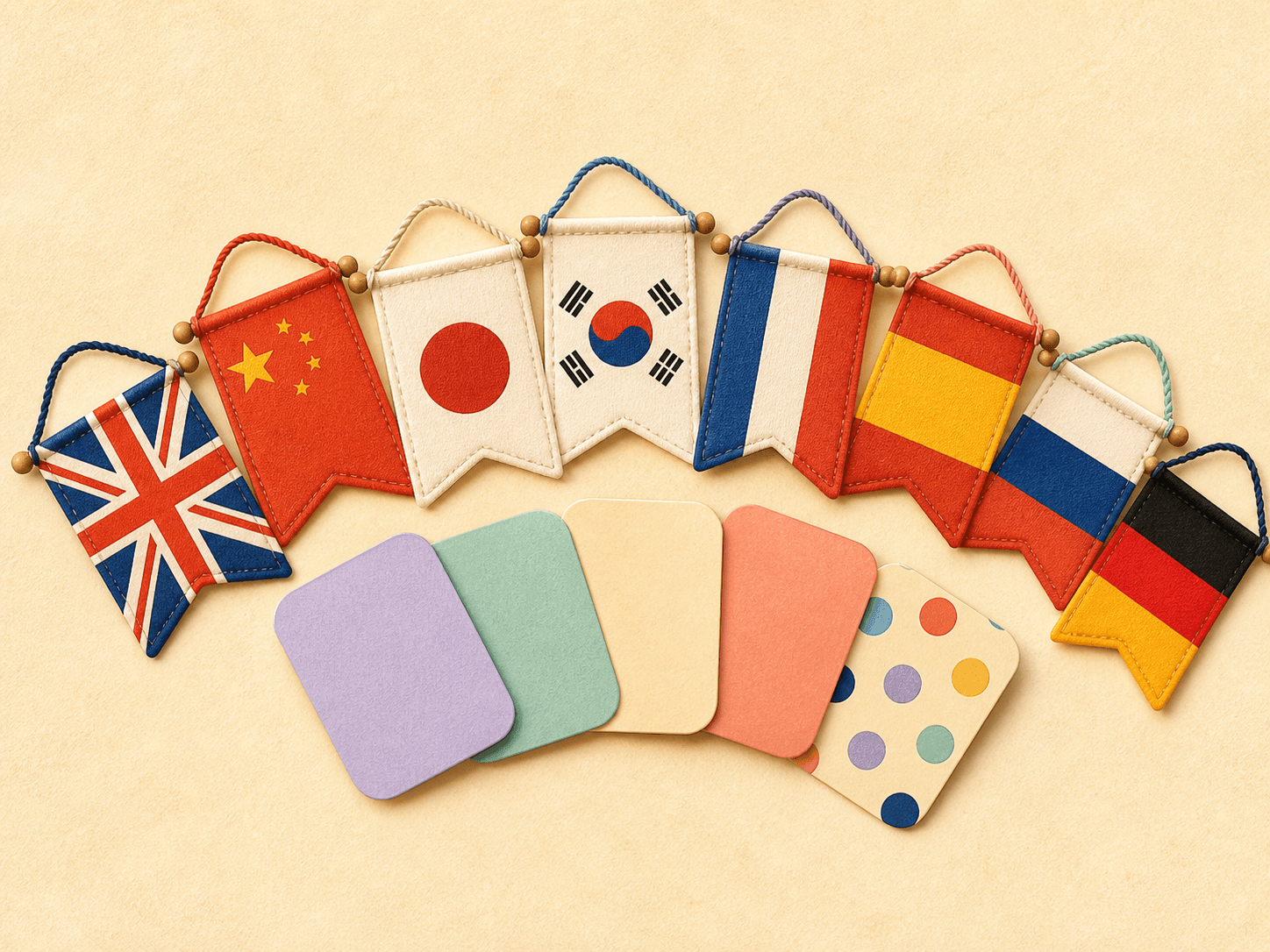
Create custom decks in English, Chinese, Japanese, Korean, French, Spanish, Russian, German and other languages.
Start with the material in front of you.
MemoCard turns Excel, Word, PDF or your own additions into vocabulary cards. You decide what stays and how to use it.
LEARN
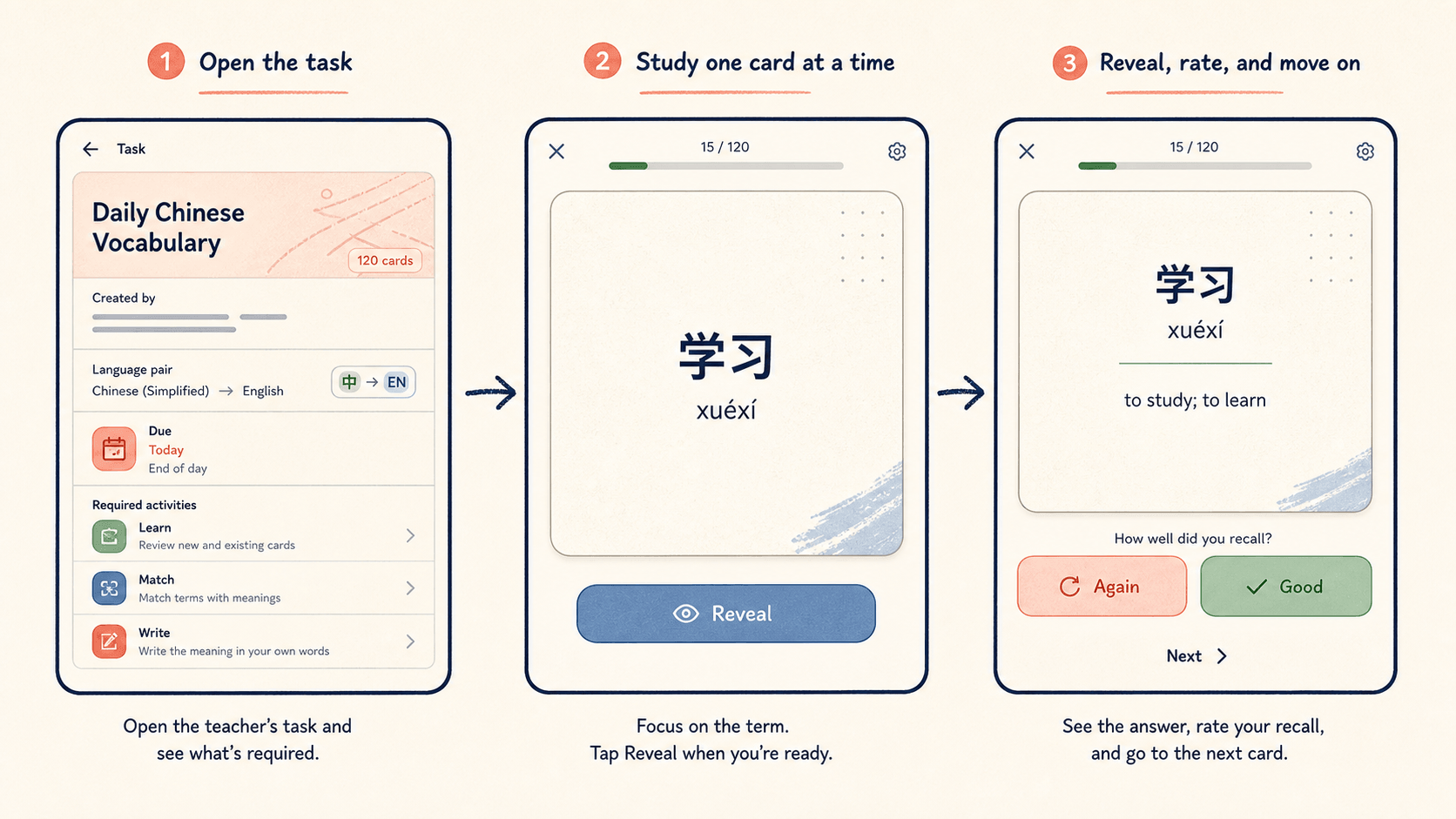
Review the material first, then let yourself, a child or a student start learning from the same content.
Create vocabulary cardsCONTINUE
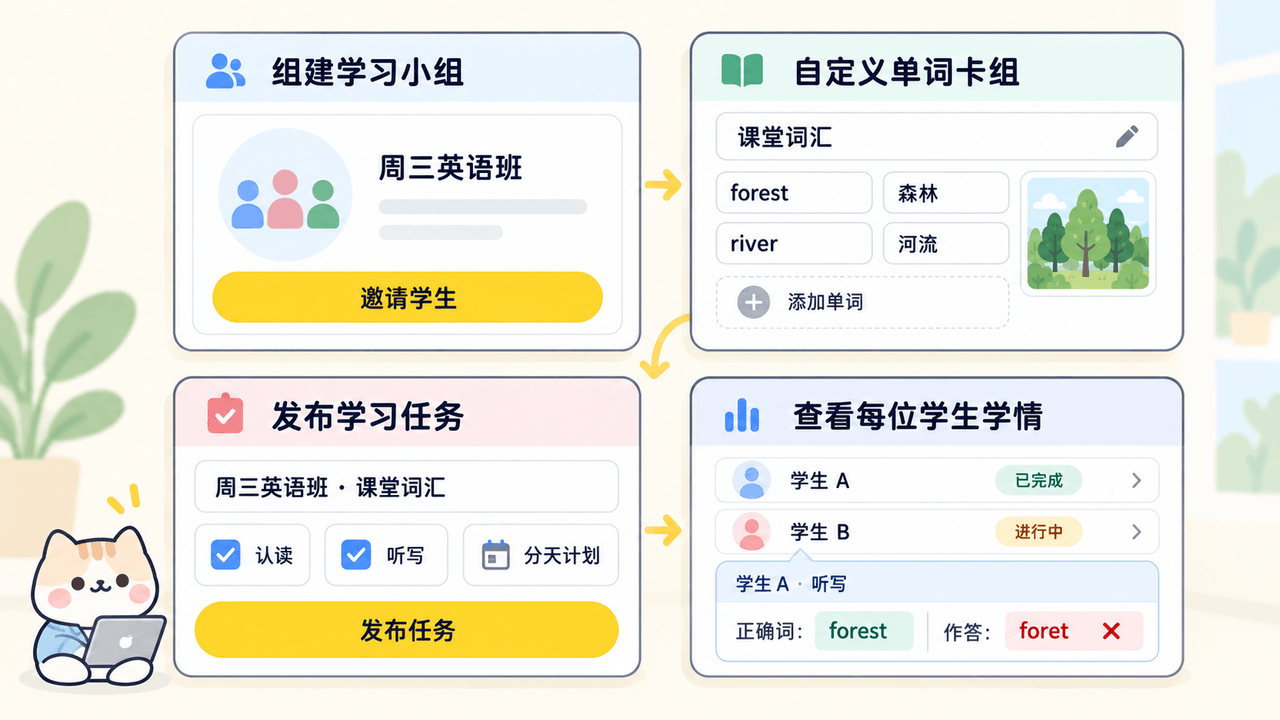
Prepare the words you are teaching today, then decide who will learn them and how.
Import Excel, Word or PDF, or add the words you need manually.
Check each word, meaning and example before you hand it to students.
Send a link, or set the range, deadline and required cards.
Let students begin with the words from this lesson.
Adjust or add to the same material instead of starting again.
REAL MATERIAL
Teachers use it to teach, parents use it to review with a child, and learners use it to build their own study material.
Turn exam lists, handouts and mistakes from practice papers into material students can keep reviewing after class, then continue with the same cards for the next learner or term.
Turn target words and phrases from the book you are teaching into pre-reading and post-reading practice, adjusting the range for each learner.
Bring vocabulary from unit handouts, subject material or language-support lists to mixed-level learners, then decide what to revisit next.
Prepare cards from a school unit, exam list or lesson note that your child can complete today, then follow the next step in the learning plan.
Turn professional material, exam content or language notes into personal vocabulary cards, then learn and review at your own pace.
LANGUAGES
MemoCard helps you create custom vocabulary cards in different languages. The list describes the product’s language range, not a catalogue of ready-made courses.
English, Chinese, Japanese, Korean, French, Spanish, Russian, German and other languages.
QUESTIONS
You can import Excel, Word and PDF, or create cards manually.
If you know Quizlet or Anki, you can think of MemoCard as the same kind of custom vocabulary-card tool. Quizlet is well suited to creating and sharing study sets, while Anki is built for highly customisable personal flashcards and spaced review. MemoCard starts with a teacher’s own word list, picture book, handout or unit material, lets you review and edit it, then share it with students so the next class can continue from the same material. You can also start from your own material when studying independently.
It is for independent teachers, KET / PET teachers, picture-book and graded-reading teachers, international school / EAL teachers, parents and independent learners who use their own material.
MemoCard supports English, Chinese, Japanese, Korean, French, Spanish, Russian, German and other languages. It is a custom-card tool, not a fixed course catalogue.
Yes. Review and edit the material before you study it yourself or share / assign it to a child or student.
Yes. Start with your own Excel, Word, PDF or manually created cards, then learn and review at your own pace.
BEGIN
Open the creator side and organise vocabulary cards for your next lesson or study session.